

Ecommerce Chatbot Deployment Guide for Instant Support
Every retail manager knows how tough it can be to answer customer questions all day and night. Small businesses from Canada to Australia need fast, accurate support even when no one is available to reply. That is where a well-chosen AI chatbot makes a real difference. This guide walks you through assessing your customer support needs and highlights key factors for selecting and deploying AI chatbots, so you can deliver smooth service without technical headaches.
Table of Contents
- Step 1: Assess Your Business Support Needs
- Step 2: Choose and Connect Your Chatbot Platform
- Step 3: Customize Chatbot Responses and Branding
- Step 4: Integrate Chatbot With Your Ecommerce Website
- Step 5: Test Chatbot Interactions and Performance
- Step 6: Monitor Results and Optimize Chatbot Workflow
Quick Summary
| Key Insight | Explanation |
|---|---|
| 1. Assess Your Support Needs | Mapping current customer inquiries helps identify specific chatbot functionalities required. |
| 2. Choose the Right Platform | Evaluate chatbot platforms based on ease of use, integration, and scalability for effective support. |
| 3. Customize Chatbot Branding | Personalizing tone and visual design ensures the chatbot reflects your business identity and engages customers. |
| 4. Integrate with E-commerce | Link the chatbot to your online store for real-time data access, enhancing customer support capabilities. |
| 5. Monitor and Optimize Performance | Regularly reviewing chatbot interactions helps identify issues and allows for continuous improvement. |
Step 1: Assess your business support needs
Before deploying a chatbot, you need to understand exactly what your support operation looks like right now. This step sets the foundation for everything that follows. You cannot select the right solution if you do not know what problems you are trying to solve. Take time to map out your current customer support landscape, identify pain points, and define what success looks like for your business.
Start by writing down the types of questions your customers ask most frequently. Are they asking about order status, shipping costs, return policies, or product specifications? These common queries tell you exactly what your chatbot needs to handle. Next, consider your expected response times. How fast do your customers expect answers? If someone asks a question at 2 a.m., what happens now? Many small retail businesses struggle with after-hours inquiries, and that is a prime opportunity for a chatbot to add value. Think about your support hours too. Do you operate 24/7, or only during business hours? Consider what natural language processing capabilities you need to understand your customers’ varied phrasing and context.
Also evaluate your current technology setup. What systems are your customers already using to reach you? Do they shop through Shopify, communicate via email, or use your website contact form? Your chatbot will need to integrate with existing software to avoid creating additional work for your team. Think about language requirements too. If you sell to international customers, multilingual support matters. Finally, consider your team’s capacity. How many support requests do you handle weekly? If that number is growing faster than your team, automation becomes urgent. Document all of this information. You will reference it when evaluating chatbot platforms and configuring your deployment.
Pro tip: Create a simple spreadsheet listing your top 20 customer questions, how often each appears, current resolution time, and whether a chatbot could handle it alone or if it needs human handoff. This data instantly shows you the chatbot’s potential impact on your workload.
Step 2: Choose and connect your chatbot platform
Now that you understand your support needs, it is time to select a platform that matches your requirements and integrates smoothly with your existing systems. The right chatbot platform will let you deploy a solution quickly without requiring coding expertise. Your choice here directly impacts how much time your team saves and how well customers experience your support.
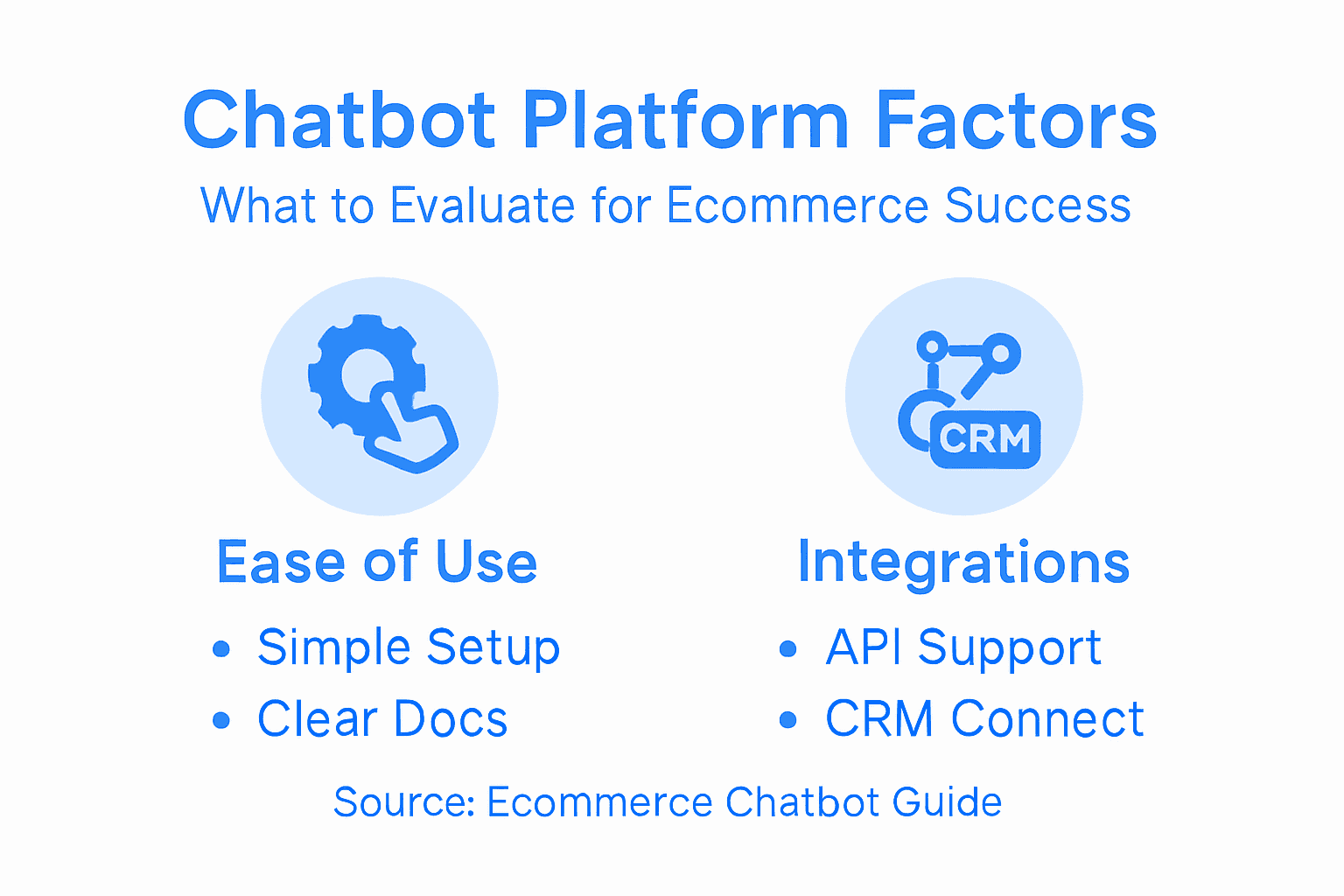
Start by comparing platforms based on three core factors. First, evaluate ease of use. Can you set up the chatbot yourself, or does it require developer involvement? For small retail businesses, platforms that work with your existing tools matter most. Look for solutions that connect with Shopify, WordPress, Wix, or Webflow without complex integrations. Second, consider customization options. Your chatbot should reflect your brand voice and handle your specific business rules. Can you train it on your product documentation? Can you set up custom workflows for different question types? Third, think about scalability. Will the platform grow with your business? As your customer base expands, your chatbot needs to handle increased volume without degrading performance.
When evaluating platforms, understand that modern chatbot platforms provide tools for seamless integrations with backend systems and databases, allowing your chatbot to access real-time data about orders, inventory, and customer history. This matters because your chatbot cannot deliver personalized responses if it only has generic information. Test each platform’s integration capabilities with your current setup. Can it pull order information from your e-commerce system? Can it update customer records when interactions occur? Can it handle special requests that need human involvement? The best platforms offer straightforward API connections or pre-built integrations that your team can activate without IT assistance.
Next, think about deployment options. Some platforms limit you to web widgets only, while others support omnichannel experiences across email, SMS, or messaging apps. Your customers might prefer different channels, so flexibility here pays off. Also evaluate whether the platform offers analytics and reporting. You want to see which questions customers ask most, how often your chatbot resolves issues without human help, and where customers get frustrated. This data helps you continuously improve your chatbot’s performance over time.
One practical consideration many businesses overlook is the onboarding process. A platform with excellent documentation and responsive support teams will save you weeks of troubleshooting. Read recent reviews from other retailers using the platform. Check if they mention quick setup times or lengthy implementation phases. Talk to the vendor’s support team with questions before committing. Their response time and helpfulness indicate how they will treat you as a customer. Finally, compare pricing models carefully. Some platforms charge per conversation, others per month, and some scale based on your usage volume. Calculate your expected costs based on your current support load and projected growth.
Pro tip: Request a trial or demo of your top two platform choices and test them with your actual top 10 customer questions from the previous step. You will quickly discover which platform understands your business context better and which dashboard you find easier to navigate under real working conditions.
Here’s how key chatbot platform selection factors influence retail business outcomes:
| Selection Factor | Why It Matters for Retail | Potential Business Impact |
|---|---|---|
| Ease of Use | Reduces tech setup barriers | Accelerates time to deployment |
| Integration Options | Connects with shop systems | Enables real-time, personalized support |
| Customization | Matches brand & workflows | Builds trust and improves CX |
| Scalability | Supports business growth | Handles volume without extra hires |
| Reporting Tools | Provides performance data | Drives ongoing support process improvements |
Step 3: Customize chatbot responses and branding
Your chatbot represents your business, so it needs to sound like you and look like you. Generic chatbot responses feel impersonal and damage customer trust. This step transforms your platform into a tool that actually reflects your brand identity and handles your specific business scenarios.

Start by defining your chatbot’s personality and tone. Do you want it to be formal and professional, or casual and friendly? If your brand is playful and colorful, your chatbot should match that energy. If you target corporate clients, a more structured approach works better. Write down some sample responses your chatbot might give. Does it sound like someone from your team, or like a generic robot? Your chatbot should address customers by name when possible, acknowledge their frustration when issues occur, and use language that matches your brand voice. Many platforms let you customize response templates, so take advantage of this. If a customer asks about returns, you want your chatbot to explain your specific policy, not a generic template about “business policies.”
Next, tackle the visual branding. Your chatbot widget should fit seamlessly into your website. Can you change the colors to match your brand palette? Can you add your logo? Can you customize the welcome message that appears when visitors first see the chat window? These details matter because they signal professionalism and build confidence. A generic blue chatbot widget on a custom-designed website looks out of place. Spend time making the chatbot feel integrated into your site, not bolted on top of it. If your platform offers options, adjust the button text, the initial greeting, and the overall appearance. Some businesses add personality through custom emojis or branded imagery within conversations. Others keep it minimal and sleek. Choose what aligns with your brand.
One critical customization step involves training your chatbot on your actual business information. This is where branding and personalization become deeply connected. Upload your product documentation, pricing pages, shipping policies, and return procedures. Your chatbot will reference this information when answering questions, so accuracy matters. If you upload outdated information or incomplete policies, your chatbot will provide incorrect answers. Review everything you upload and update it regularly. When customers ask about your products, they should receive specific details about features, specifications, and availability. When they ask about shipping, your chatbot should mention your actual delivery times, not generic timelines.
Also configure how your chatbot handles situations beyond its knowledge. You cannot train your chatbot to answer every possible question. When something comes up that your chatbot is unsure about, what happens next? Set up rules for human handoff. Does the customer get transferred to your support team? Does your chatbot collect their information and schedule a callback? Does it offer a contact form? These transitions matter because they prevent frustrated customers from getting stuck in conversation loops. A smooth handoff to a human agent can salvage a customer relationship that might otherwise have been lost.
Finally, consider setting up different response flows for different scenarios. A customer asking about an existing order should receive different help than someone asking about product recommendations. Your platform likely allows you to create branching conversations that adjust based on what the customer says. Use this feature to make interactions more relevant and faster. A customer who says “my order arrived damaged” should immediately get information about your warranty and return process, not general product information.
Pro tip: Before going live, have three team members test your chatbot with common customer questions and note any responses that feel off-brand or inaccurate. Their feedback often reveals blind spots you would miss testing alone, and small tweaks now prevent embarrassing errors later.
Step 4: Integrate chatbot with your ecommerce website
Your chatbot only becomes valuable when it connects to your actual business operations. A standalone chatbot that cannot access your product information, customer data, or order details is just another generic tool. This step connects your chatbot to your ecommerce platform so it can provide real, personalized support.
Start by identifying your ecommerce platform. Are you using Shopify, WooCommerce, Magento, or a custom solution? Your platform choice matters because it determines which integration methods work best. If you use Shopify or WordPress, you likely have pre-built integration options that require minimal technical effort. Your chatbot platform should offer native connectors or plugins designed specifically for your system. Check your chatbot platform’s documentation for a list of supported ecommerce platforms. If your platform is listed, integration becomes straightforward. If not, you may need API connections, which require more technical setup.
The core of integration involves connecting your chatbot to APIs that feed it real-time information. When a customer asks “Where is my order?”, your chatbot needs access to your order database. When they ask “Do you have this product in blue?”, your chatbot needs inventory information. Integrating AI chatbots with ecommerce platforms enables access to real-time product information, order tracking, customer data, and inventory levels. This real-time data is what transforms a chatbot from annoying to genuinely helpful. Without it, your chatbot cannot answer simple questions and will frustrate customers who expect it to know basic facts about their orders.
Next, configure payment and CRM integrations. Your chatbot might help customers add items to their cart, but it needs to connect to your payment system to process transactions. Similarly, linking your chatbot to your CRM ensures that every conversation gets recorded in your customer database. This creates continuity if a customer starts chatting with your bot and later contacts your support team. Your agent can see the full conversation history and understand what the customer already asked. Payment integration also enables your chatbot to handle abandoned carts. If a customer started checking out but didn’t complete the purchase, your chatbot can follow up with a reminder and help them finish the transaction.
Embedding the chatbot into your website comes next. Most platforms provide a simple script or code snippet that you paste into your website. Some use plugins if you are on WordPress or Shopify. The technical barrier here is usually minimal. However, test carefully. Visit your website on desktop, tablet, and mobile devices to verify the chatbot loads properly and does not break your site layout. Mobile responsiveness matters tremendously because many customers shop from phones. A chatbot that looks terrible on mobile or slows down page load times will hurt more than help.
Set up your chatbot workflows to match your business processes. A workflow might look like this: customer asks about an order, chatbot retrieves tracking information, customer is satisfied. Another workflow: customer asks about returns, chatbot provides your policy and links to your return form, customer initiates return without talking to anyone. Different workflows handle different scenarios. Test each one with real customer questions from your previous notes. Verify that your chatbot accesses the correct data and provides accurate information. Effective integration requires embedding chatbot scripts or using plugins compatible with your ecommerce platform while ensuring mobile responsiveness. Do not go live until you have tested thoroughly.
Pro tip: After integration, monitor your first week of live conversations closely and note any questions your chatbot struggles with or common errors in data retrieval. Use this week of real-world data to adjust workflows and improve accuracy before word-of-mouth spreads issues to more customers.
Step 5: Test chatbot interactions and performance
Before your chatbot goes live to real customers, you need to know exactly how it performs under realistic conditions. Testing reveals problems that break the customer experience and gives you the chance to fix them quietly. This step takes time but saves far more time later by preventing embarrassing failures.
Start by creating a comprehensive test plan based on your customer questions from Step 1. Write down your top 30 customer inquiries, including variations of common questions. A customer might ask “Where’s my order?” or “Can you track my package?” or “How long until delivery?” These are different phrasings of the same question, and your chatbot needs to handle all of them. Run each question through your chatbot and document what happens. Does it understand the intent? Does it provide accurate information? Does it ask clarifying questions when needed? Does it know when to hand off to a human? Track everything. Create a simple spreadsheet with columns for question, chatbot response, whether the response was accurate, and whether the response would satisfy a customer.
Evaluating chatbot responsiveness, perceived humanness, and accurate intent recognition helps you understand whether customers will actually use your chatbot or get frustrated immediately. Responsiveness means the chatbot answers quickly without making customers wait. Perceived humanness means the chatbot sounds like a real person, not a robot spouting generic phrases. Intent recognition means the chatbot correctly understands what customers actually want, even when they phrase things awkwardly. Test these elements deliberately. Ask your chatbot variations of the same question. Ask it multiple questions in one message. Ask it unanswerable questions to see how it handles confusion. Ask it trick questions that might expose gaps in your training data. Document every failure point.
Next, test performance metrics that matter for customer experience. Measure conversation flow quality by seeing if interactions feel natural and progress logically. A chatbot that makes customers repeat themselves creates frustration. Track error rates by counting how many times your chatbot misunderstands what customers are asking. Monitor fallback frequency by noting how often your chatbot essentially gives up and says it does not know the answer. Measure resolution effectiveness by checking whether customers leave conversations with their problems actually solved or whether they still feel confused. These metrics reveal whether your chatbot improves customer experience or just annoys people with another way to get non-answers.
Test across all devices and browsers. Visit your chatbot from desktop computers, tablets, and smartphones using different browsers like Chrome, Safari, and Firefox. Does it load quickly? Does the chat window look acceptable? Can customers easily read messages and type responses? Does anything break? Mobile testing matters most because many customers shop from phones, and a broken mobile experience reaches the largest audience immediately.
Involve your support team in testing. They know customer frustrations better than anyone. Have them go through conversations and identify questions your chatbot should handle but currently does not. Have them look for responses that might confuse customers or provide wrong information. Have them test complex scenarios like a customer with multiple questions or a customer who is already frustrated. Your team’s insights reveal blind spots that you might miss testing alone.
Create a testing checklist and actually use it. Do not rely on memory or informal testing. A written checklist ensures consistency and documents what you tested so you remember weeks later. Include items like chatbot responsiveness testing, multilingual support if applicable, error handling, payment integration verification, CRM data accuracy, and mobile responsiveness. Check off each item as you test it. Fix any problems you find before going live.
Here are common chatbot testing metrics and what they reveal about customer experience:
| Metric | What It Measures | Insight Provided |
|---|---|---|
| Response Speed | Time to answer customer inquiries | Customer satisfaction, patience |
| Resolution Rate | Percentage issues fully handled | Chatbot effectiveness |
| Handoff Frequency | How often transfers to humans occur | Training gaps, customer frustration |
| Error Rate | Instances of misinterpreted queries | Need for improved intent detection |
Pro tip: Record video demonstrations of your top 5 test scenarios working successfully and share them with your team before going live. These videos serve as your baseline for what good performance looks like, making it easier to spot degradation later if your chatbot quality changes over time.
Step 6: Monitor results and optimize chatbot workflow
Your chatbot does not improve on its own. After launch, you must actively monitor how it performs and make adjustments based on real data. This step separates chatbots that deliver genuine value from those that become abandoned features nobody uses.
Start by setting up analytics tracking from day one. Your chatbot platform should provide dashboards showing key metrics. Which questions do customers ask most frequently? How often does your chatbot resolve issues without human help? How often do customers get frustrated and request a human agent? What is your average conversation length? Where do conversations end? Understanding chatbot analytics helps you track performance metrics that reveal what customers actually need. Without this data, you are just guessing about whether your chatbot works. With it, you have concrete information to guide improvements. Review these metrics weekly at first. Look for patterns. If 40 percent of conversations end with a human handoff request, something in your chatbot needs improvement. If customers repeatedly ask the same question that your chatbot should handle, your training data is incomplete. Data does not lie about what needs fixing.
Pay attention to conversation transcripts. Read actual conversations between your chatbot and customers. You will learn things that metrics alone never reveal. You might notice that your chatbot provides technically correct information but phrases it in a way that confuses people. You might discover that customers ask questions you never anticipated. You might see that your chatbot understands the intent but provides information in the wrong order. Real conversations expose issues that dashboards hide. Spend time reading at least five conversations per week. Make notes about patterns. Share interesting conversations with your team and ask what they would have done differently. This qualitative feedback combined with quantitative metrics creates a complete picture of performance.
Create a prioritized list of improvements based on impact and effort. Some fixes take five minutes and eliminate a whole category of problems. Others take hours but only affect a tiny percentage of conversations. Focus on high impact items first. If you discover that your chatbot cannot handle a question type that 23 percent of customers ask, that becomes top priority. If you notice a typo in a response that appears in 2 percent of conversations, that can wait. Use your analytics to guide where you spend optimization effort.
Test changes in isolation before deploying them widely. If you improve how your chatbot handles product questions, test that improvement thoroughly before releasing it to all customers. Make one change, monitor results for a few days, then decide whether to keep it. This prevents you from making multiple changes and not knowing which one caused a problem. Small incremental improvements compound over time into significantly better performance.
Schedule monthly reviews with your team to discuss chatbot performance and gather feedback. What support issues are still reaching humans that could be handled by the chatbot? What are customers saying about their chatbot experience? What frustrates your team about current workflows? This human feedback catches issues that analytics might miss and keeps your team engaged with the chatbot rather than viewing it as a separate system. Your team experiences suggest improvements that customers never explicitly mention.
Set specific performance targets and track progress toward them. Maybe your goal is to increase the percentage of customer inquiries resolved without human help from 45 percent to 60 percent within three months. Maybe you want to reduce average resolution time from four minutes to three minutes. Set measurable goals. Without targets, you lack direction for optimization efforts. With them, you know exactly what success looks like and can celebrate progress as you move toward it.
Pro tip: Create a monthly performance report showing key metrics from the previous month with trend arrows showing improvement or decline, then share it with your leadership and support team. This transparency builds support for continued chatbot investment and creates accountability for maintaining quality.
Transform Your Ecommerce Support with AI-Powered Chatbots
The article highlights the challenge of delivering instant, accurate customer support while managing growing inquiry volumes and complex ecommerce integrations. Key goals include reducing response times, handling after-hours questions, and providing personalized answers that reflect your brand voice. Pain points such as ineffective chatbot platforms, limited integration, and poor customer experience can hold businesses back from achieving seamless support. ChatPirate.io offers a solution designed to overcome these issues with easy setup, deep customization, and real-time integration with platforms like Shopify and WordPress. Its AI chatbots learn from your business documents to provide precise answers and smoothly hand off to humans when needed.
Elevate your support operations by deploying a chatbot that works around the clock, delivers branded conversations, and scales effortlessly as your business grows. Discover how ChatPirate’s intuitive interface and built-in analytics empower you to monitor performance and optimize workflows continuously. Start providing your customers with instant, confident answers today and turn support into a true competitive advantage.
Ready to automate your ecommerce customer support with a chatbot that understands your business and your customers? Visit ChatPirate.io now to explore our platform and start your free trial. Experience the difference of AI-driven support that integrates seamlessly with your existing systems. Learn more about how to customize your chatbot responses and branding and integrate your chatbot with your ecommerce website for a flawless launch.
Frequently Asked Questions
How do I assess my business support needs before deploying a chatbot?
To assess your business support needs, begin by documenting the most frequently asked questions from your customers, such as inquiries about order status or return policies. Calculate current response times and evaluate your existing technology, support hours, and team capacity to identify areas where a chatbot can provide value.
What factors should I consider when choosing a chatbot platform for my eCommerce business?
When choosing a chatbot platform, consider ease of use, integration capabilities with your existing systems, customization options to match your brand voice, and scalability for future growth. Aim to select a platform that enables setup without requiring extensive technical knowledge and can adapt as your customer base expands.
How can I customize my chatbot’s responses to reflect my brand identity?
To customize your chatbot’s responses, define its personality and tone, making sure it aligns with your brand’s voice. Use the customization options provided by your platform to adjust response templates and the visual appearance of the chatbot to create a unified customer experience on your website.
What steps are involved in integrating my chatbot with my eCommerce website?
Integrating your chatbot involves first identifying your eCommerce platform and then connecting it via native plugins or API integrations. Ensure that the chatbot has access to real-time data on orders and inventory, and embed the chatbot into your website using the provided code snippet or plugin.
How do I effectively monitor and optimize my chatbot’s performance after deployment?
To monitor your chatbot’s performance, establish analytics tracking from the start, examining key metrics such as resolution rates and customer interactions. Schedule monthly reviews to analyze conversation transcripts, identify improvement areas, and set specific performance targets to enhance its effectiveness over time.